
8.0.2 frozen Windows Studio/Core goal-selection candidate; final package applicability pending
Package applicability is under review; follow the stated version and platform limits.
Choose the quantity before changing Mode
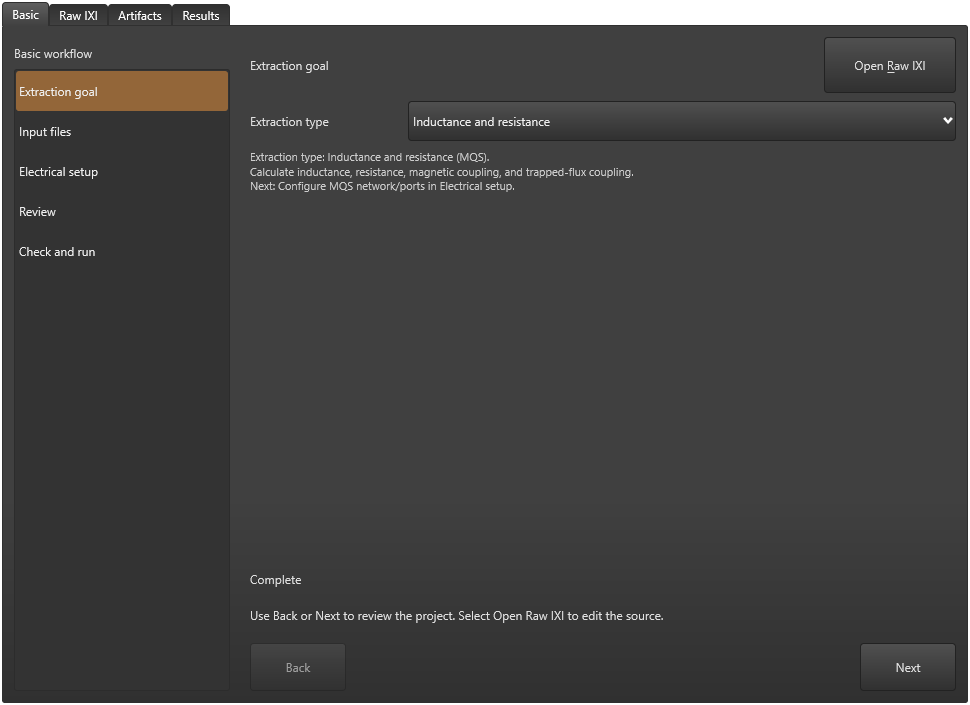
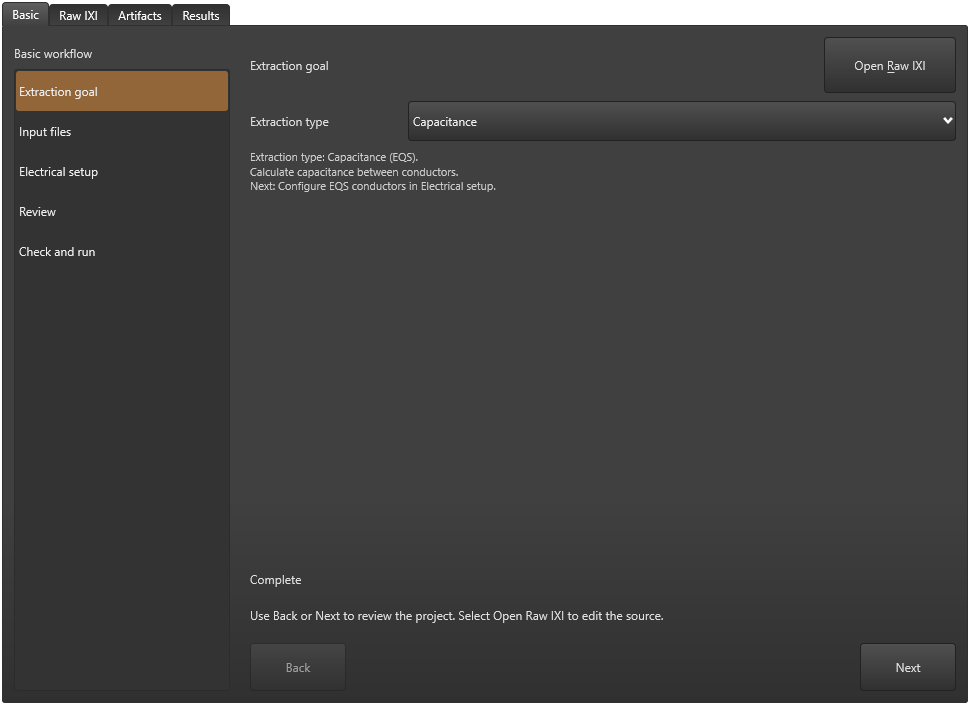
The extraction goal selects a formulation and the electrical setup shown by Basic. It does not convert geometry, material assumptions, a circuit network, conductor names or a frequency sweep into another physical problem. Start from the complete matching example and preserve the correct fabrication process.
These checks use a frozen Windows Studio/Core 8.0.2 candidate. The download is a complete synthetic MQS network with inline geometry and two ordinary P1/P2 labels. Its deliberate mode-only variants demonstrate setup requirements; they are not accepted complete models for the other formulations.
Save intended source changes and inspect current diagnostics before a calculation. Basic file/setup status and a successful Save do not establish physical validity. The capacitance numerical reference remains withheld while KB-EQS-001 is open.
Match the goal to its required model
| Basic choice / Mode | Requested quantity | Electrical declarations to review |
|---|---|---|
| Inductance and resistance / MQS | Mapped inductance in H, resistance in ohms and related network quantities | A circuit netlist with matching layout/inline port topology; use current/field-only policy deliberately when no network mapping is intended. |
| Capacitance / EQS | Capacitance in F | Conductors identified by C-prefixed labels on the intended layers/positions, with the appropriate dielectric/process model; an extraction netlist is not required for this setup. |
| S-parameters — quasistatic / EMQS | Complex dimensionless S response against frequency | An explicit $SPARAM block, frequency range/steps/sweep rule, reference impedance and named response ports. This selects the electro-magnetoquasistatic solver. |
| S-parameters — full-wave / FULL | Complex dimensionless S response against frequency | The corresponding response/port/frequency setup with the full-wave formulation. Changing the help panel does not replace FULL with EMQS. |
| Characteristic impedance / Z0 | Characteristic impedance in ohms | The impedance port/terminal geometry, order, polarity and connectivity for the combined inductive/capacitive calculation. Basic counts names but cannot validate these physical properties. |
Use the Basic selector and inspect the resulting source
- Open the complete saved IXI and choose Basic > Extraction goal. Select the goal matching the requested physical quantity.
- Inspect Raw IXI. In the checked teaching model each selection changed only Mode; the geometry, P1/P2 labels, process and netlist references remained unchanged. Save a separate diagnostic copy if exploring another choice.
- Choose Electrical setup and read the current visible mode panel. Review inputs, geometry labels, netlist or response block and frequency settings appropriate to that choice before requesting a solve.
- If an existing Mode should be removed, inspect and edit it in Raw IXI. Selecting Choose later on the existing MQS model leaves its source unchanged, returns the selector to MQS and displays Clear the extraction mode in Raw IXI. Choose later is a deferred choice when creating a draft, not a clear command for an existing project.
Keep an MQS network separate from field-only inspection
For mapped inductance/resistance, inspect the extraction circuit and its port-to-layout/inline topology. The complete teaching model uses strip.cir and matched P1/P2 declarations. Its baseline, recovered and separately reopened native runs all report 3.89648 pH against the 3.9 pH fixed design; that is a bounded comparison, not convergence or process calibration.
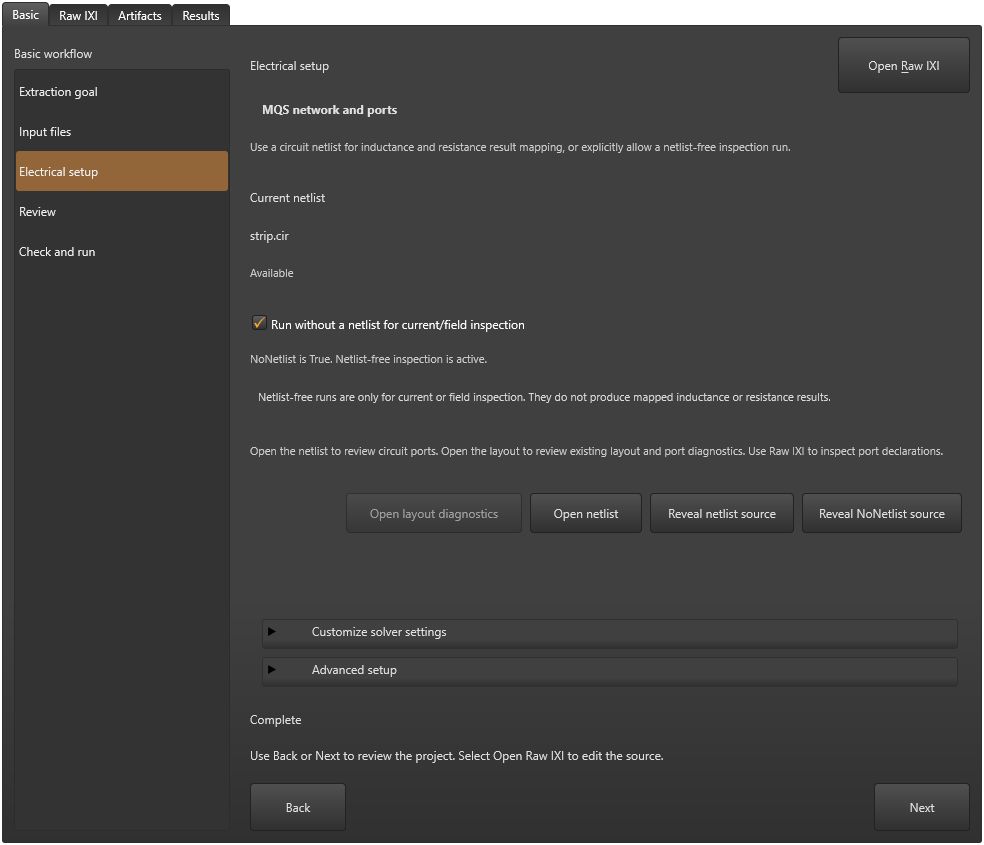
Run without a netlist for current/field inspection changes NoNetlist in the source. The actual warning says these runs do not produce mapped inductance or resistance results. Basic can report Complete for that deliberate policy; it does not mean a circuit network was extracted.
The checked control was enabled only as an unsaved setup edit. Normal Undo restored the exact original MQS network source before saving a separate recovery and solving it. No field-only solve is claimed by this workflow.
For EQS, supply conductor declarations
EQS uses the conductor labels rather than the MQS circuit mapping. The maintained parallel-plate example has C1 M0 and C2 M1 labels in inline IXI geometry. Review the actual layer, position, connectivity and dielectric model in that complete example.
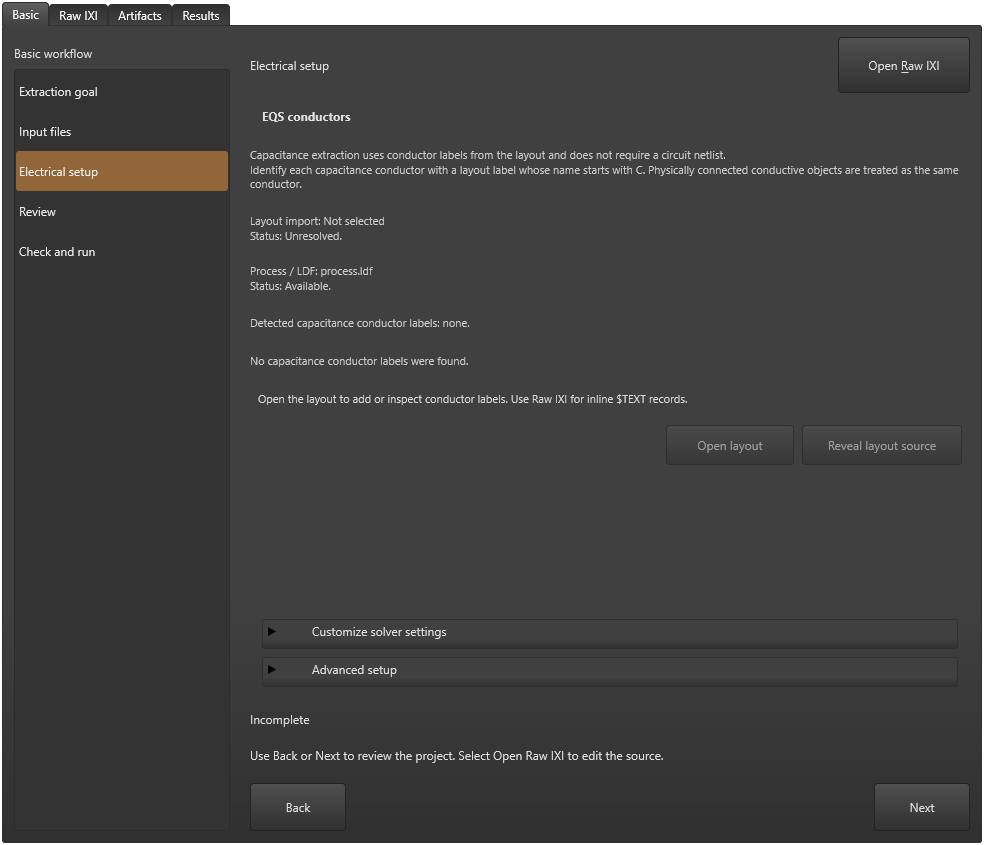
Changing only the teaching strip’s Mode to EQS leaves P1/P2 untouched. The current panel finds no capacitance-conductor labels and reports Incomplete. This is the intended diagnostic comparison; it was not solved and no capacitance value is presented.
In this inline-only comparison, the panel’s Layout import row says Not selected/Unresolved. It describes the absent external import. Inspect Raw IXI and Basic > Input files for inline geometry rather than adding an unnecessary GDS file to silence that line. The conductor requirement still needs its own correction.
Follow the parallel-plate guide for its complete setup and retained limitations. KB-EQS-001 keeps its numerical reference withheld pending output review.
For S-parameters, define a response and its ports
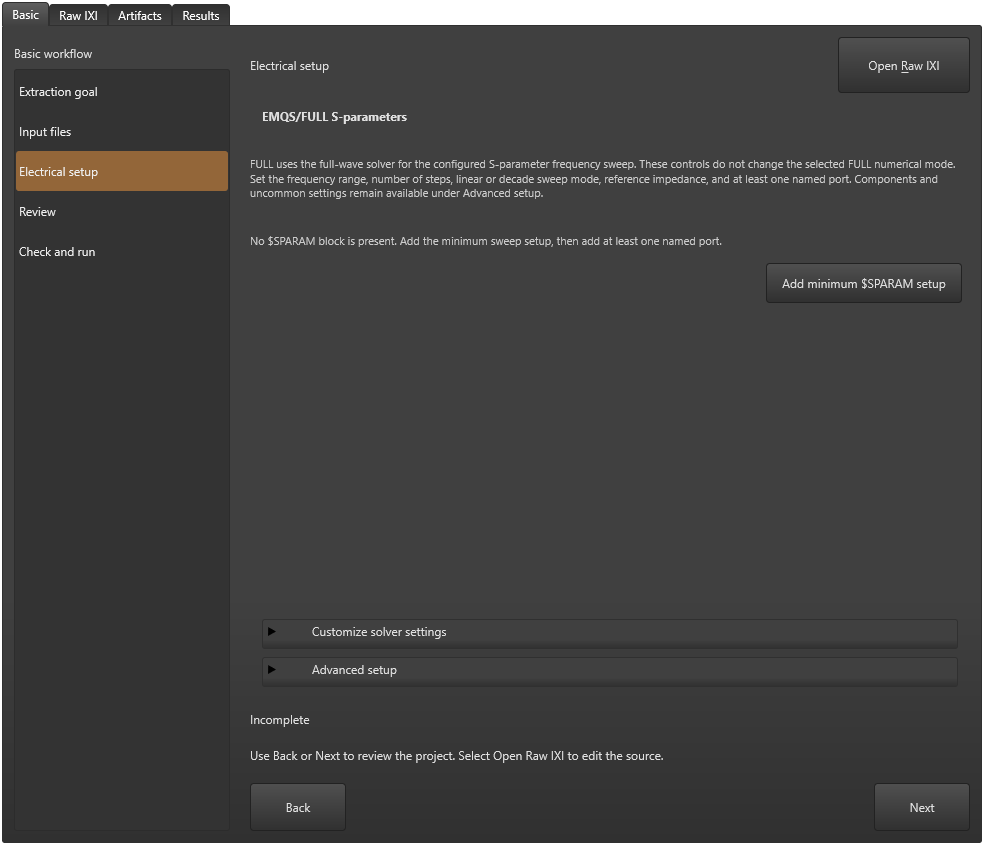
EMQS and FULL use the frequency-domain response setup. Inspect $SPARAM, the frequency range, number of steps, linear/decade sweep mode, reference impedance and at least one named port. Components and less common settings remain available in Advanced setup.
The mode-only teaching copies have no $SPARAM block, so both panels report Incomplete. The FULL panel retains its explicit full-wave explanation; the EMQS panel explains the quasistatic formulation. Neither was solved here.
Add minimum $SPARAM setup is offered when the record is absent. That action was not requested in this check, and a minimum record would still need the intended named physical ports and frequency configuration. Use the complete S-parameter examples and linked frequency/output guidance for that work.
Treat Z0 Complete as a count check
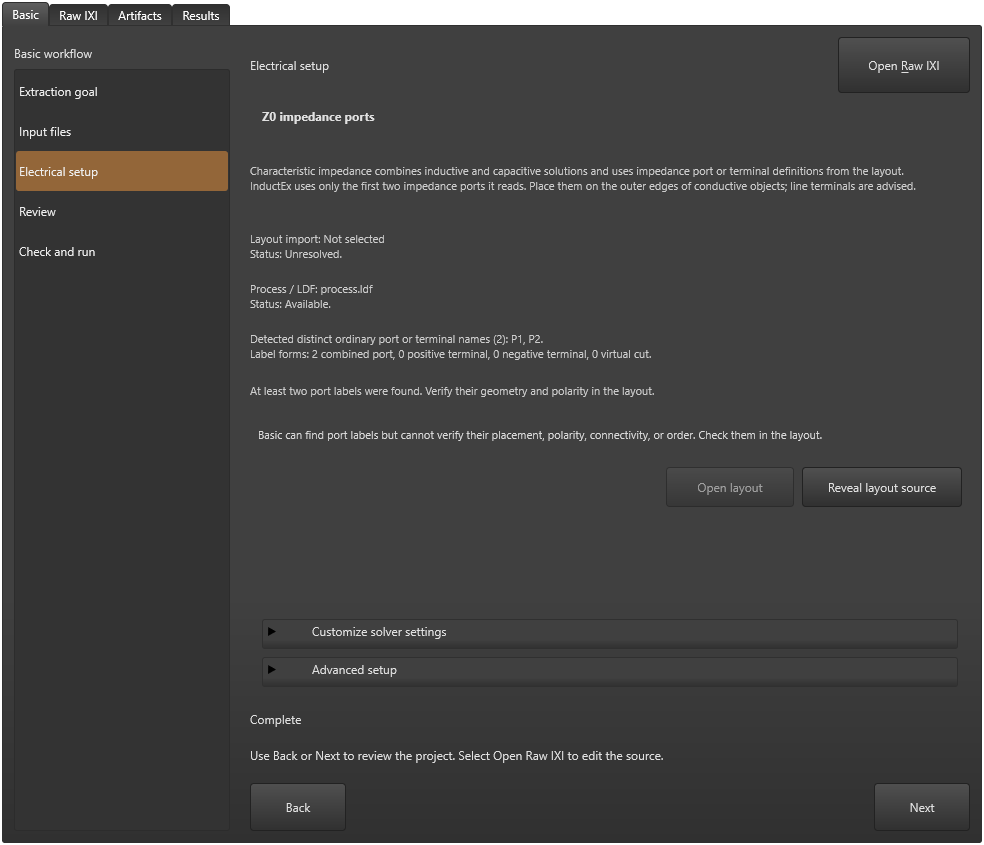
Z0 combines inductive and capacitive solutions. Its guidance says only the first two impedance ports read are used, recommends outer-edge terminals, and leaves their placement, polarity, connectivity and order for inspection in the model.
The unchanged teaching geometry has two ordinary combined labels, P1 and P2. Basic detects both and reports Complete. It also says the geometry and polarity must be verified. That status is not a characteristic-impedance result or evidence that this MQS example has become a valid Z0 model.
Review the appropriate complete impedance example, its process/geometry and port order before solving. This workflow captured the actual detection/guidance only and did not run a Z0 calculation.
Recover the intended model before running
- Return the teaching selector to Inductance and resistance. If the field-only checkbox was changed, Undo that edit and inspect Raw IXI so NoNetlist no longer overrides the intended network setup.
- Save the restored source as a separate IXI beside the same process.ldf and strip.cir. Review inputs, electrical setup and current diagnostics; preserve the original source and deliberate diagnostic copies.
- Run the restored MQS network and inspect its current result. The recorded recovery matches the baseline parsed L1 value exactly. A separate normal Studio process explicitly reopens and reruns the saved recovery with the same value.
- For a different intended calculation, use its complete model and applicable reference instead of treating a changed Mode, a count badge or an old result as success.
Use the complete diagnostic example from an agent
The three downloadable plain-text inputs are the same complete MQS baseline used by the native checks. An agent can inspect Mode, geometry/label records and file relationships directly. Deliberately changed-mode copies belong in a new writable directory and must remain labelled as incomplete diagnostic models until their physical declarations are supplied and verified.
Preserve the saved source, complete dependencies, intended quantity/units and actual runtime with every result. The native workflow supplies control/source and MQS recovery evidence; it does not qualify a new CLI command, another formulation or an automatic model converter.
Save strip.ixi
* Parameterised inline equivalent of the maintained microstrip geometry
$COMMAND
  MeshFile "strip.msh"
  MeshType CUBE
  Mode MQS
  Netlist "strip.cir"
  Process "process.ldf"
$END
$VARIABLE
  Name strip_length
  Value 100
$END
$VARIABLE
  Name strip_width
  Value 10
$END
$STRUCT
  Name inline_strip
  $POLY
    Layer M1
    XY
    (0,0)
    (0,%strip_width)
    (%strip_length,%strip_width)
    (%strip_length,0)
    (0,0)
  $END
  $PATH
    Layer TERM
    Width 1
    XY
    (0,%strip_width)
    (0,0)
  $END
  $PATH
    Layer TERM
    Width 1
    XY
    (%strip_length,%strip_width)
    (%strip_length,0)
  $END
  $TEXT
    Text "P1 M1 M0"
    Layer TEXT
    XY
    (0,%strip_width/2)
  $END
  $TEXT
    Text "P2 M1 M0"
    Layer TEXT
    XY
    (%strip_length,%strip_width/2)
  $END
$END
Save process.ldf
* Public microstrip teaching stack; dimensions use Units below
$Parameters
  Units = 1e-6
  SegmentSize = 2.0
  AbsMin = 0.025
  GPOverhang = 5.0
  ProcessHasGroundPlane = TRUE
  GPLayer = 17
  TermLayer = 19
  TextLayer = 18
  HFilaments = 1
  TerminalInRange = 1.0
  UnitL = 1
$End
$Layer
  Number = 17
  Name = M0
  Thickness = 0.2
  Lambda = 0.09
  Order = 0
  Mask = -1
  Filmtype = S
  HFilaments = 2
$End
$Layer
  Number = 2
  Name = I0
  Thickness = 0.15
  Order = 1
  Mask = -1
  Filmtype = I
$End
$Layer
  Number = 5
  Name = M1
  Thickness = 0.25
  Lambda = 0.09
  Order = 2
  Mask = 1
  Filmtype = S
  HFilaments = 3
$End
Save strip.cir
* Extraction topology, design inductance in henries because UnitL=1
L1 1 2 3.9e-12
P1 1 0
P2 2 0
.end
Check the result
The selected formulation agrees with the requested quantity and the actual electrical declarations. Read the current visible panel and source; supply missing conductor/response information and independently inspect physical port properties. A saved mode, Basic Complete or successful file check alone does not establish a valid numerical result.
If the problem remains
Return to the complete example for the intended calculation, inspect the first current diagnostic and compare its physical declarations with the source. Restore the original model or correct a separate copy deliberately. Keep the EQS output hold and all numerical/release limits visible.
Sources and verification details
Recorded inputs/builds only. Complete walkthrough and final-package acceptance remain separate.
VAL-066 · Frozen Windows Studio/Core 8.0.2 candidate
Actual Windows Studio/Core 8.0.2 frozen candidate: five formulation choices, Choose later source guard, electrical setup projections and unsaved NoNetlist/Undo; three fresh MQS network extractions across two normal processes. Alternative modes and field-only inspection were not solved. EQS numerical presentation remains withheld.
Only MQS was solved. Basic Complete does not verify physical geometry/polarity/connectivity/order. EQS numerical hold, physical operator, arbitrary conversions, other platforms and final packages remain open.
studio-mqs-goal
InductEx® 8 document view, rendered 3 November 2026
Current-source UI illustration. No calculation or complete GUI walkthrough was performed; final-package applicability remains pending.
studio-eqs-goal
InductEx® 8 document view, rendered 3 November 2026
Current-source UI illustration. No calculation or complete GUI walkthrough was performed; final-package applicability remains pending.
studio-goals-field-only
Frozen Windows Studio/Core 8.0.2 goal-selection candidate, reviewed 4 November 2026
Setup projection only; no alternative-mode/field-only solve, physical model validation, physical picker/pointer or final-package/platform qualification.
studio-goals-eqs
Frozen Windows Studio/Core 8.0.2 goal-selection candidate, reviewed 4 November 2026
Setup projection only; no alternative-mode/field-only solve, physical model validation, physical picker/pointer or final-package/platform qualification.
studio-goals-sparam
Frozen Windows Studio/Core 8.0.2 goal-selection candidate, reviewed 4 November 2026
Setup projection only; no alternative-mode/field-only solve, physical model validation, physical picker/pointer or final-package/platform qualification.
studio-goals-z0
Frozen Windows Studio/Core 8.0.2 goal-selection candidate, reviewed 4 November 2026
Setup projection only; no alternative-mode/field-only solve, physical model validation, physical picker/pointer or final-package/platform qualification.
- inductex:docs/manual/studio_projects.tex · Basic extraction goal, input files, electrical setup, Review and Raw IXI
- inductex:docs/manual/studio_start.tex · Other first examples and explicit warning against treating a mode change as model conversion
- validation:extraction-goals-20261104 · VAL-066: actual mode edits, Choose later guard, four setup states, NoNetlist/Undo and three MQS runs
- capture:studio-ui-20261103T103032 · Earlier native MQS/EQS goal-picker reference images only
- 26 actual source/control/artifact checks replace the manual-only disposition. The frozen candidate reports Core 8.0.2; no installed product or version metadata was changed.
- Alternative-mode copies intentionally preserve an MQS model and demonstrate setup requirements. They are not accepted complete EQS/EMQS/FULL/Z0 models. Only baseline/restored/reopened MQS was solved.
- Only the visible setup panel is current; hidden child views may retain earlier projections. The EQS numerical hold remains enforced. Physical UI, arbitrary conversions, final packages/platforms and general numerical accuracy remain open.