
8 beta/preview
Package applicability is under review; follow the stated version and platform limits.
Before starting
Use an InductEx® 8 installation with Studio and a valid extraction licence. Install the SUN Magnetics licence daemon required by that release. Opening a file for inspection does not prove that extraction is licensed.
Open and check the example
- In Help > Examples / Templates, select the microstrip inductance example and choose Copy to Folder. Alternatively, copy the complete examples/inductance/microstrip directory to a writable location.
- Use File > Open Folder to open that working directory, then open microstrip.ixi.
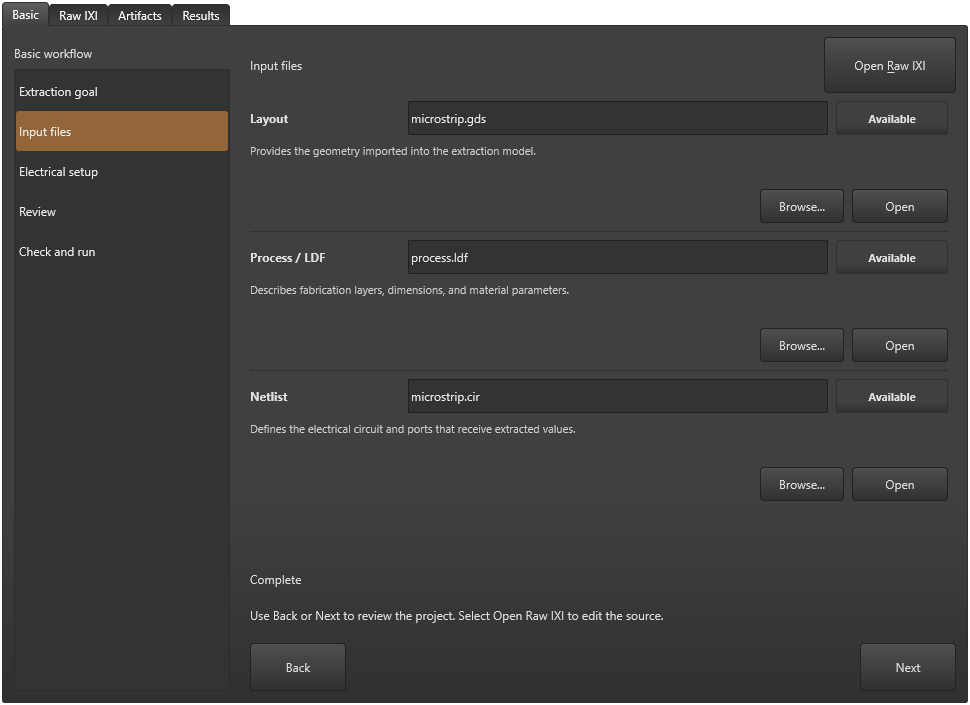
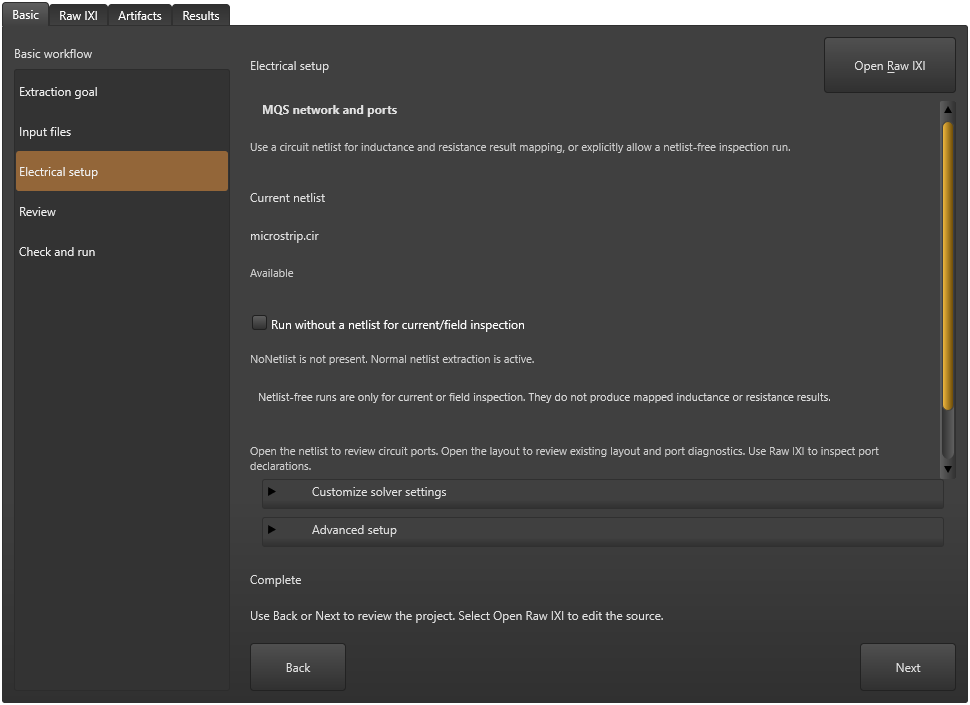
- On Basic, check that Extraction goal is MQS. In Input files, check process.ldf, microstrip.cir and microstrip.gds. Keep the supplied electrical setup and port declarations for this first run.
Check and run
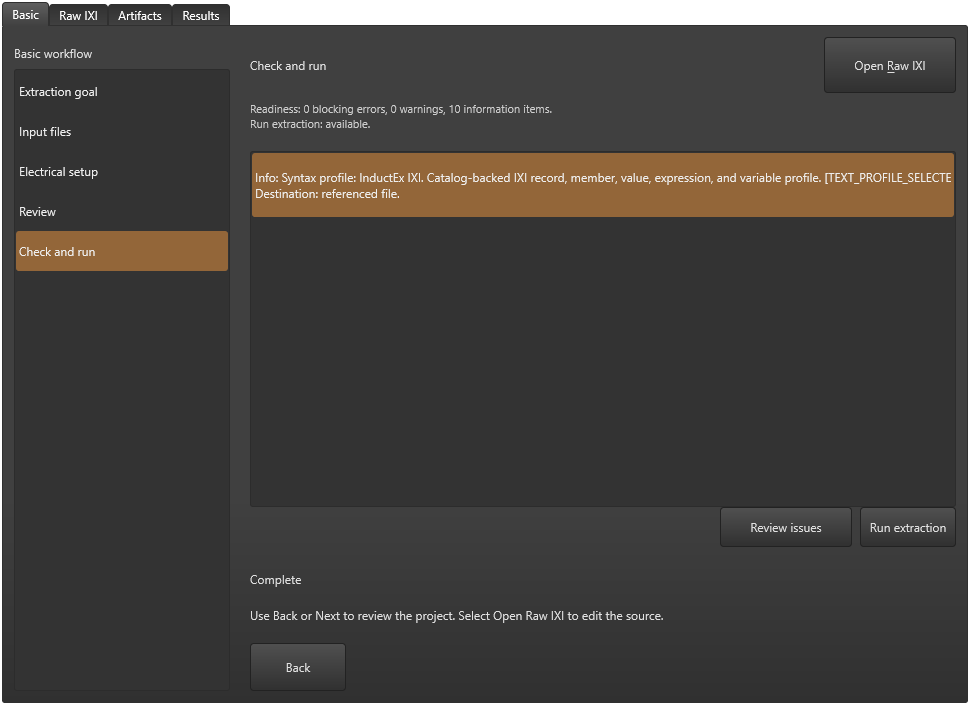
- Open Review, then Check and run. Resolve reported input problems and save the project.
- Choose Run extraction or Run > Run full extraction. Wait for completion and read the messages in the output panel.
Check the result
Open Results and read the current status, warning/error counts and Raw output. Check the quantities and units before accepting the calculation. A completion message alone is insufficient.
The recorded licensed Windows Studio candidate produced L1 = 3.89648 pH against a 3.9 pH design, approximately 0.0903% deviation. The missing-process correction reproduced that value, which also matches the earlier CLI observation at the recorded precision.
This GUI route keeps the numerical summary in memory. It produced solver_out.txt and other solver artifacts but no sol.txt. Use the current Results/Raw output; a CLI solution file left by another run does not establish the GUI outcome.
These fixed-input checks do not establish mesh convergence or general numerical accuracy. Full article acceptance, an appropriate numerical-results image and final-package checks remain pending.
Compare with the design
Aim for low reported relative error in the model fit. The owner has not specified a new numerical cutoff for SVD or GMRES residuals.
For a meaningful nonzero design inductance, use 100 × abs(L_extracted − L_design) / abs(L_design) to compare the values. The general design target is below 10% deviation; below 5% is preferred.
Design agreement, model-fit residuals and solver convergence answer different questions. Check the physical model and refinement behaviour as well; these percentages are not universal solver-error or regression tolerances.
Save a layout image
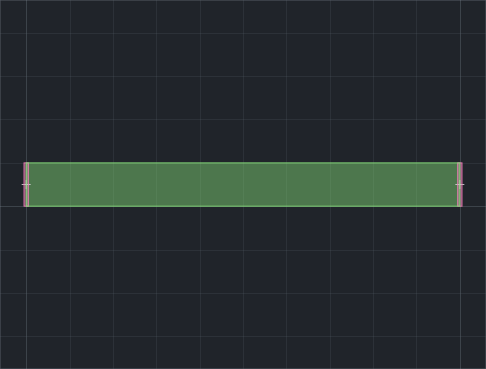
- Open microstrip.gds, then choose File > Export Snapshot and save a PNG to a new destination.
- Open the saved PNG and confirm it contains the intended layout. Keep its generated report with the calculation record. A geometry image does not establish mesh or extraction accuracy.
Close and reopen the project
Save any edits before exiting. In the checked Windows source candidate, exiting with several tabs restored the last tab rather than the selected one. Until that issue is resolved for the release, close other saved tabs before exiting if you need this project restored as active.
After reopening, verify the project name and Basic step. The checked single-tab path restored Check and run. Its Results summary was empty in the new process even though solver files remained on disk. Run again for a new GUI result; retain the earlier output as a separate calculation record.
Sources and verification details
Recorded inputs/builds only. Complete walkthrough and final-package acceptance remain separate.
VAL-001 · InductEx® 8.0.1 Windows catalog payload
CLI extraction only
Single fixed-input run; no accuracy or convergence qualification. GUI workflow pending.
VAL-015 · InductEx® current-source Windows Studio candidate with Core 8.0.1; scenario executable is unversioned
Production GUI controls and normal licensed engine dispatch; current raw result, missing-process correction, GDS PNG export and separate-process restart using a single-tab workaround
Bounded native scenario on a frozen source candidate. OS picker input, a clean numerical-results screenshot, mesh refinement, cancellation and final-package acceptance remain unverified. Multi-tab exit selection is held by KB-GUI-006. Computer Use capture remains unresolved.
studio-microstrip-inputs
InductEx® 8 document view, rendered 3 November 2026
Current-source UI illustration. No calculation or complete GUI walkthrough was performed; final-package applicability remains pending.
studio-mqs-electrical
InductEx® 8 document view, rendered 3 November 2026
Current-source UI illustration. No calculation or complete GUI walkthrough was performed; final-package applicability remains pending.
studio-microstrip-review
InductEx® 8 document view, rendered 3 November 2026
Current-source UI illustration. No calculation or complete GUI walkthrough was performed; final-package applicability remains pending.
studio-microstrip-layout-export
Windows Studio current-source native scenario, 3 November 2026
Illustrates the recorded candidate state. Full GUI article acceptance, numerical refinement and final distributed-package applicability remain pending.
- inductex:docs/manual/studio_start.tex · First extraction: a microstrip
- validation:windows-cli-20261102 · VAL-001; scope and limits recorded
- owner:technical-review-20261102 · Owner guidance on low relative error and design-inductance agreement
- validation:design-comparison-20261102 · VAL-001 arithmetic assessment against the design value
- capture:studio-ui-20261103T103032 · Reviewed current-source document-view images; UI-only scope
- validation:studio-native-windows-20261103 · VAL-015; current GUI result storage, real licensed extraction/recovery and bounded restart checks
- VAL-015 verifies scoped native controls, real licensed dispatch, output, recovery and a separate-process single-tab restart. Multi-tab exit remains KB-GUI-006. Numerical refinement, useful result imagery and the final distributed package remain pending.