
2.9.0 release target; current-source Windows candidate evidence
Package applicability is under review; follow the stated version and platform limits.
Before starting
Use the intended 2.9 release and its matching manual. A scoped Windows current-source candidate run and CSV export have been checked; final distributed-package applicability and the other documented formats still need verification.
Complete the intended simulation and verify the selected source/case before exporting. Use an existing writable destination folder and a new filename that is separate from every input file.
Steps
- Select the intended completed result and waveform view, then open the toolbar export action.
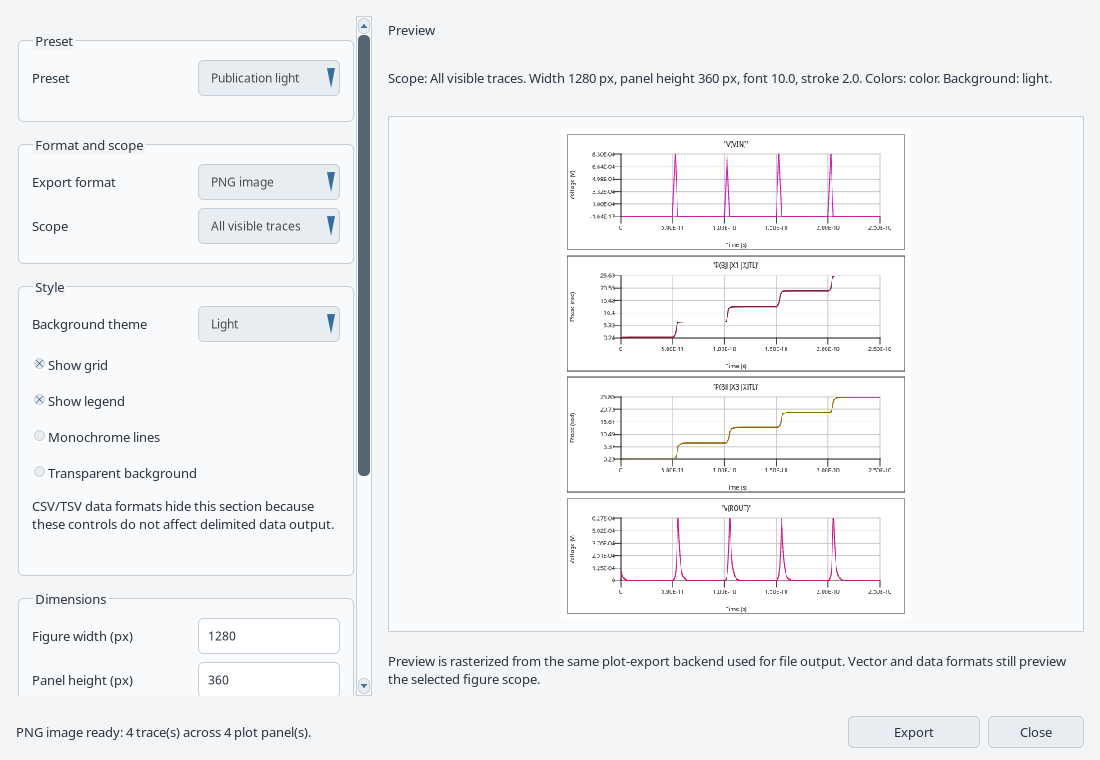
- Choose the required traces/scope and format. Figures support raster/vector formats; data export supports CSV and TSV.
- For a figure, inspect preset, legend, units, dimensions and preview. For data, select traces with compatible x-axis metadata.
- Select Export. In the Save dialog choose an existing writable folder, enter a new results filename such as jtl-data.csv, and save. Read the complete destination/error and inspect the newly written file before sharing it.
Export the JTL numerical data
- Run the saved JTL_Example.cir source successfully and inspect its four current traces.
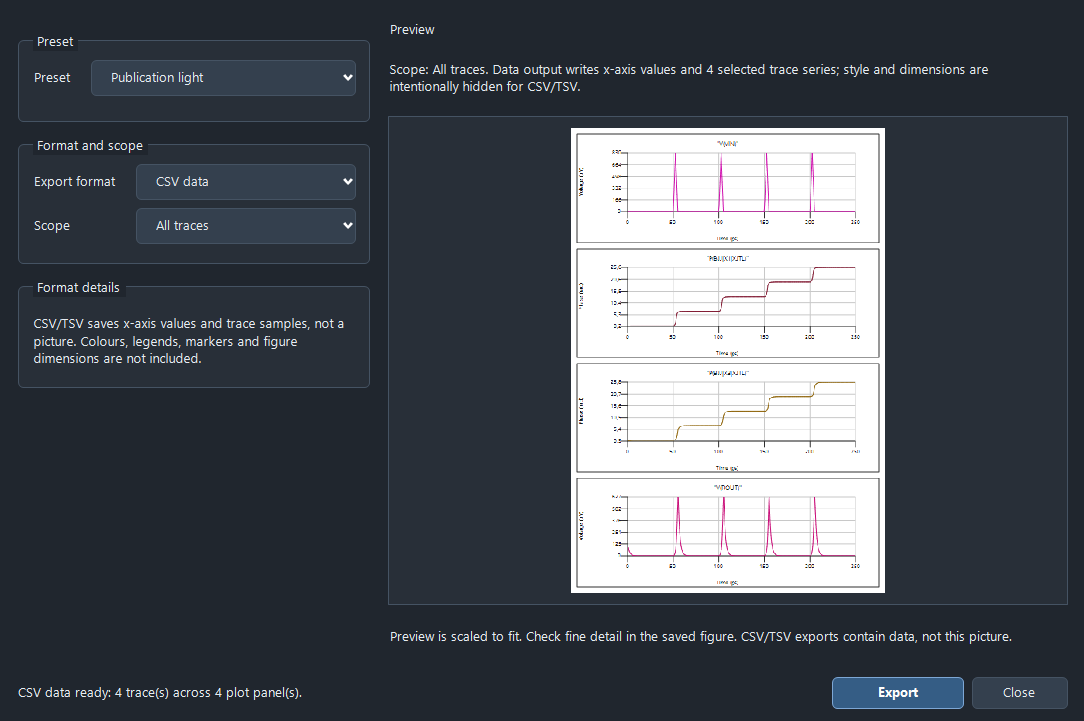
- Open Plot export studio, choose Export format > CSV data and Scope > All traces. Confirm that the form reports four selected trace series.
- Select Export and save jtl-data.csv in an existing writable folder. If the native dialog reports an invalid location, dismiss the error and select or enter the full path to an existing destination before saving.
- Open the new CSV with a CSV-aware reader and check the time column, four requested trace columns, finite samples and the expected time span. A closed dialog or a preview picture alone does not prove a new file was written.
Check the result
CSV/TSV stores x-axis values and selected numerical series; a PNG/JPEG is an image of the plot. Inspect the actual saved file for the intended traces, axis metadata and units.
The checked JTL CSV contains Time (s) plus V(VIN), P(BJJ|X1|XJTL), P(BJJ|X3|XJTL) and V(ROUT): 1,001 finite rows covering 0 to 2.5e-10 seconds (250 ps). Time is in seconds, voltage in volts and phase in radians. The plot uses ps and microvolts for display: multiply seconds by 1e12 and volts by 1e6 before comparing plotted values.
Use a CSV parser to handle escaped headers. In this candidate, parsed trace headers retain a balanced pair of literal quote characters around the names. Preserve the original header; remove one balanced outer quote pair only when matching it to the known trace identifiers.
JPEG has no transparent background. Maintained documentation describes an explicit failure for incompatible data axes; that branch, TSV/figure exports, cancellation and Retry export were not exercised by this CSV check.
If the problem remains
For a failed export, read the displayed destination/error and use Retry export after correcting it. Cancelling a save preserves the prior outcome; it does not create a new export.
Recover from a figure or data export error
Read the complete destination and error before retrying. Choose an existing writable folder and a new filename with the intended format. An old file at a previous destination is not proof that the current export succeeded.
The maintained 2.9 export contract keeps the options and shows Retry export... after failure. After a successful save, the studio stays open with the selectable destination, Open file and Show folder. Those actions refer to the last successful export; changing options alone does not change that destination. Cancelling the Save dialog preserves the previous outcome.
VAL-016 records the JTL CSV export and the operator-corrected invalid destination. It does not exercise every Retry, Cancel, format or post-save action described here. Complete picker/retry and final-package checks remain pending.
Sources and verification details
Recorded inputs/builds only. Complete walkthrough and final-package acceptance remain separate.
VAL-016 · JoSIM®-Pro 2.9 current-source Windows candidate with matching freshly built runtime; not the final distributed package
Production GUI controls, normal licensed JTL and AND runs, missing-include restoration, exact input/output collision rejection and operator-assisted CSV/All traces export. Explicitly reopening saved JTL and rerunning also passed
Automatic session restoration failed (KB-GUI-007). File opening was supplied at the production OpenFile boundary; folder-picker input, cancellation, retry, other export formats, physical accuracy and final-package acceptance remain unverified. CSV/CLI differences were at most one ULP in this example, not an accuracy or regression tolerance. The Clang-built runtime does not close the separate MSVC/OpenMP finding KB-BUILD-001. External Computer Use capture remains unqualified.
josim-plot-export
JoSIM®-Pro 2.9 manual UI reference
A maintained manual UI reference, not a fresh calculation or a completed walkthrough. Final distributed-package applicability remains to be checked.
josim-csv-export-settings
Windows JoSIM®-Pro 2.9 current-source native scenario, 3 November 2026
Illustrates the recorded candidate state. The Save dialog was completed by the owner. Full article acceptance, automatic session restoration and final distributed-package applicability remain pending.
- josim-pro:docs/manual_source/sections/gui_simulation_results.tex · Plot export studio
- owner:technical-review-20261102 · Owner selected 2.9 as the publication target; final package checks remain required
- validation:josim-native-windows-20261103 · VAL-016; exact native actions, independent output checks, operator Save and failed automatic-restoration boundary
- VAL-016 records real licensed run and production CSV/All traces actions, with the owner handling the native Save dialog. No automated Save-picker interaction is claimed.
- The full export walkthrough, other formats/axes, cancellation/retry, automatic session restoration and final distributed package remain pending. The invalid initial location was observed; its root cause was not isolated.